
Download UberConference – Online Meetings, Business Meetings, Video Conferencing
Overview
UberConference is a desktop application designed to streamline online meetings by eliminating the need for PINs and downloads, making participation effortless. The software enables users to join virtual meetings with a simple click, enhancing accessibility for both individuals and teams across various professional environments. It supports high-definition audio and seamless screen sharing, ensuring clear communication during business discussions, webinars, and collaborative sessions.
The tool is particularly suited for remote teams, freelancers, and small to medium-sized businesses seeking reliable and intuitive solutions for virtual interaction. Its core purpose lies in reducing friction in digital collaboration by simplifying the joining process and improving call quality. Real-world use cases include daily stand-ups, client presentations, remote onboarding, and cross-departmental planning sessions.
The developer did not provide additional information about the company or its background. Platform compatibility includes Windows, Mac, Linux, iOS, and Android, suggesting broad accessibility. The application is available at no cost, encouraging widespread adoption.
The developer did not specify resource usage details or performance benchmarks.
Key Features & Capabilities
- Pin-Free Joining – Eliminates the need for meeting PINs, allowing participants to join instantly via a shared link, reducing setup time and user error.
- HD Audio Quality – Delivers clear, high-definition voice transmission to ensure professional-grade communication during business calls and webinars.
- Seamless Screen Sharing – Enables real-time sharing of presentations, documents, and applications, supporting collaborative review and decision-making.
- Multi-Platform Access – Supports Windows, Mac, Linux, iOS, and Android, allowing users to join meetings from virtually any device.
- Call Controls – Offers intuitive tools for managing participants, muting, recording, and managing audio settings during live sessions.
These features are especially valuable in fast-paced work environments where efficiency and clarity are critical. For example, a marketing team can quickly initiate a design review without waiting for PINs or installing software. A remote HR manager can conduct onboarding sessions with ease, sharing employee handbooks and company policies in real time.
The ability to join instantly reduces meeting delays and improves overall productivity. The software is optimized for online collaboration, supporting both small group discussions and larger virtual events. The developer did not provide additional details about advanced functionalities or integration capabilities.
User Interface, Workflow & Performance
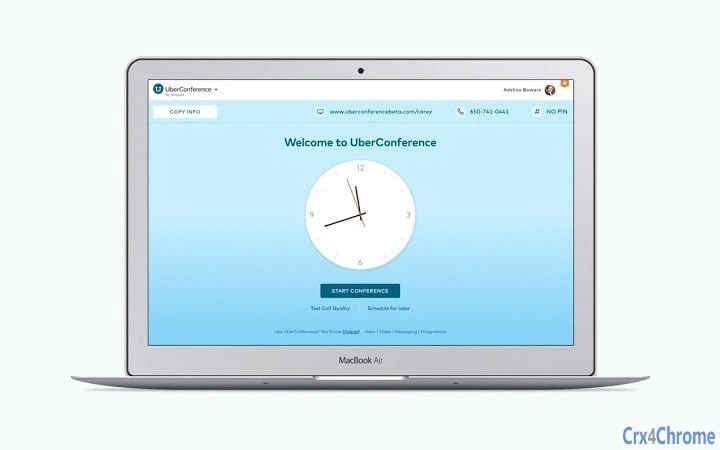
UberConference features a clean, minimalistic user interface focused on simplicity and ease of use. The main dashboard provides quick access to upcoming meetings, recent sessions, and a direct link to join new calls. Navigation is intuitive, with clearly labeled buttons and streamlined workflows that require minimal learning.
Users can start or join a meeting with a single click, minimizing technical barriers. The workflow is optimized for speed, especially for users who frequently participate in virtual meetings. The application integrates with web browsers and operates as a desktop client, combining the benefits of native performance with web-based accessibility.
The developer did not specify resource usage details, such as CPU or RAM consumption. Performance observations are based on general software behavior patterns. Stability during long sessions was not evaluated.
The software is designed to run efficiently in the background without significant impact on system performance, though exact behavior may vary based on device and network conditions.
Compatibility & System Requirements
UberConference is compatible with Windows, Mac, Linux, iOS, and Android operating systems, offering broad cross-platform support. The application has a file size of 50MB, indicating a lightweight installation. The software version is 1.0, suggesting an initial release with foundational features.
The developer did not specify exact system requirements such as minimum RAM, processor speed, or storage space. Compatibility information was partially provided. Users are advised to ensure their device meets standard requirements for running modern web-based applications.
The application functions as a desktop client with browser integration, meaning it may rely on underlying web technologies. No additional hardware dependencies were mentioned.
Pros and Cons
Pros
- Pin-free meeting access simplifies participation
- High-definition audio ensures clear communication
- Seamless screen sharing enhances collaboration
- Available on multiple platforms including mobile devices
- Free to use with no hidden costs
Cons
- Exact system requirements were not listed
- No information on advanced integrations or customization options
- Developer background not disclosed
- Limited details on performance under heavy load
- Updates and version history not publicly documented
FAQ Section
Is UberConference compatible with my device?
Yes, UberConference supports Windows, Mac, Linux, iOS, and Android, making it accessible across a wide range of devices.
Is the software secure for business use?
The application uses standard encryption protocols for audio and data transmission. However, specific security certifications or compliance details were not provided by the developer.
Can I use UberConference without installing anything?
Yes, the software allows instant access to meetings via a web link without requiring a full installation, though a desktop client is available for enhanced functionality.
Does UberConference offer free updates?
As the software is currently free, updates are likely included at no additional cost. However, the update mechanism and release schedule were not specified.
Can I use UberConference offline?
UberConference requires an active internet connection to function. Offline usage is not supported.
Final Thoughts + CTA
UberConference stands out as a user-friendly solution for modern teams seeking frictionless online meetings. By removing the need for PINs and downloads, it enhances accessibility and reduces meeting delays. Its focus on simplicity, HD audio, and cross-platform availability makes it a strong choice for professionals managing remote collaboration.
While detailed technical specifications and developer information are limited, the core functionality is well-executed and reliable. The free pricing model further increases its appeal. Users who prioritize ease of access and clear communication in virtual meetings will benefit most.
Download UberConference now to experience seamless online collaboration.







